Printing copies with Epson SureColor SC-F10000
Problem/Question
The option "without gap" is missing in the print dialog when selecting more than 1 copy.
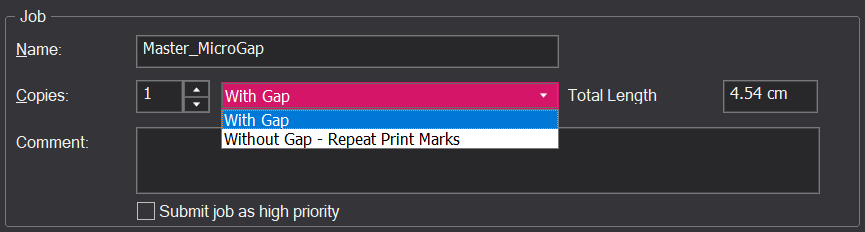
When printing more than 1 copy, the printer always repeats the print marks between the copies; having print marks just at the beginning of the first copy and at the end of the last copy is not possible.
Printing copies of a job with Epson SureColor SC-F10000 is not working exactly as described in the documentation or as you are used from other printers.
Background information
From an outside view, the driver for Epson SureColor SC F10000 acts similar to all other printers. But it is very special when it comes to printing copies of a job. For almost all printers, the functionality for printing copies with or without gap is developed fully by Ergosoft. However, printing copies with or without gap with Epson SureColor SC-F10000 is part of the HTM2 driver interface and the printer firmware and thus, developed and provided by Epson.
Because of this specialty, there are some limitations in printing copies with this driver:
- The number of copies to be printed as well as the gap mode is part of the print data, that the PrintQueue sends to the printer.
- The PrintQueue sends just one copy to the printer and then sends the job to the Done queue.
- The number of copies cannot be changed while the job is printed.
- The number of copies cannot be changed when the job reprinted.
- The modes "without gap" and "without gap - repeat print marks" are identical. They add full print marks to each copy; skipping print marks between copies is not possible.
Since the copies are managed by the printer itself, it is not possible to print copies without gap with print marks at the beginning and at the end of the whole job. The toolset of Ergosoft provides two work-arounds:
- Use the Step & Repeat feature instead of the copy function (max. 100m)
- Send Copies Without Gap - Repeat Print Marks but remove all print marks and image margins